• Globe Clock
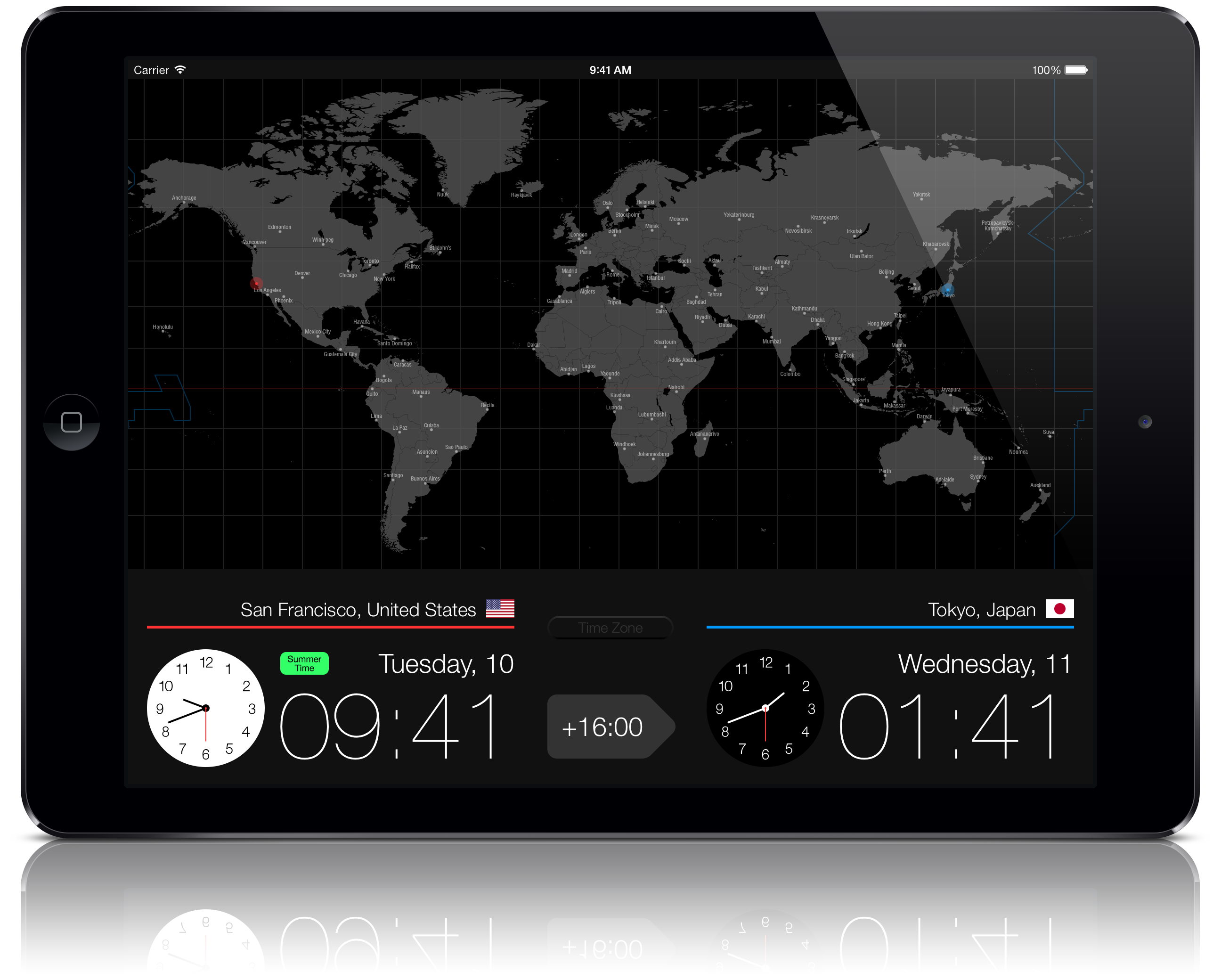

Globe Clock is an app that lets you quickly see the current time and the time difference between your location and cities around the world, as if you were touching a globe.
Swipe the map left or right and tap the city you want to check. The red glowing dot on the map shows your current location. The lower-left area of the screen (red bar) displays your location along with the day, date, and time.
When you tap a destination, the dot turns blue and the lower-right area (blue bar) shows the destination along with its day, date, and time. The arrow in the center at the bottom displays the time difference between the two locations.
In regions that observe daylight saving time, a “Summer Time” icon is shown. The icon lights up in green during the daylight saving period.
Tap the “Time Zone” button at the bottom center to display time zones (offsets from Coordinated Universal Time) on the world map.
* Displaying your current location on the map requires a GPS or Wi-Fi connection.